Short answer: Yes, you can use AI to make videos for free. CapCut is the best free starting point for turning a script, images, captions, voiceover, and music into a finished social video. Kling AI and Hailuo AI are better for experimenting with short generated scenes, while InVideo AI and VEED are easier for prompt-to-video drafts. However, the trade-off is that free plans usually limit credits, duration, resolution, speed, exports, or watermark removal.
You no longer need a camera crew or an expensive editing suite to test an AI video idea. A free tool can write a script, animate a still image, generate a short scene, add narration, create captions, find stock footage, and assemble the result for TikTok, Instagram Reels, YouTube Shorts, a presentation, or a product demo.
But “free AI video generator” can mean several different things. One product may provide a renewable free allowance, another may give only welcome credits, and a third may let you edit without paying while reserving its strongest generative model for subscribers. This guide separates those offers so you know what can actually be completed without a subscription.
Free-plan access, credits, watermarks, models, and regional availability were checked on August 28, 2026. These details change frequently. Confirm the current plan page and export screen before starting an important or commercial project.
What kind of AI video can you make for free?
A free account is usually enough for a short experiment, social clip, storyboard, animated product image, faceless explainer, captioned talking-head video, or a first draft made from stock footage. Even so, it is rarely enough for unlimited cinematic generation or daily client production.
- Text-to-video clips: describe a shot and generate a few seconds of new footage.
- Image-to-video animation: upload a still image and add camera movement or subject motion.
- Script-to-video production: turn a topic or script into scenes, narration, subtitles, music, and stock media.
- AI-assisted editing: remove pauses, create captions, reframe horizontal footage, clean audio, or cut a long recording into short clips.
- Avatar videos: generate a presenter reading your script, although clean exports and premium avatars are commonly paid.
Therefore, the right tool depends on the outcome. A cinematic six-second shot and a two-minute YouTube explainer are both “AI videos,” but they require different products and different free allowances.
Best free AI video tools: quick comparison
| Tool | Best free use | Type of free access | Main catch |
|---|---|---|---|
| CapCut | Complete social-video workflow | Free editor and selected AI features | Some models, assets, and tools are Pro or region-dependent |
| Kling AI | Image-to-video and realistic motion | Limited credits or free access when available | Queues, quotas, and watermark rules can change |
| Hailuo AI | Testing cinematic generated clips | One-time new-user credits | Not a renewable unlimited free plan |
| InVideo AI | Faceless explainers from one prompt | Free creation and rendering | Free exports include a watermark and limited features |
| VEED | Browser editing, captions, and AI drafts | Free editor plus a limited AI quota | AI allowance and clean export options are restricted |
| Runway | Learning advanced generative video | 125 one-time credits | Credits do not renew; free videos carry a watermark |
| Adobe Express | Finishing and repurposing videos | Free editor and two lifetime 5-second generations | Generative video allowance is very small |
What does “free” mean for an AI video generator?
Before creating an account, look for the unit that the vendor limits. “Free to start” does not always mean “free to finish.”
- Renewable allowance: credits or generations return daily or monthly. This is the most useful model for repeatable experiments.
- One-time credits: you receive a welcome balance, but it never refreshes. Runway and Hailuo currently fit this pattern.
- Watermarked export: you can finish the video, but the vendor’s logo remains visible. This is acceptable for testing, not ideal for client work.
- Free editor, paid generator: assembling, trimming, captioning, and exporting may be free even when premium text-to-video models require credits.
- Usage queue: free generations may run more slowly or pause at busy times.
- Feature or resolution gate: higher resolution, longer clips, private generations, commercial rights, or watermark removal may require payment.
Ultimately, a useful free tool should help you complete one real outcome—not merely open a generation screen. For most beginners, a flexible editor with modest AI assistance is more valuable than five spectacular seconds that cannot be extended, revised, or exported cleanly.
The best AI tools for making videos for free
1. CapCut — best free AI video maker for most people

 CapCutBest free end-to-end video workflowView tool details →
CapCut is the strongest first choice because it combines AI generation with the tools needed to finish a video. For example, you can begin with a topic or script, select a style and voice, generate a first draft, replace weak scenes, add captions and music, adjust the format, and export for social platforms.
What you can do for free: create short social videos, generate or refine a script, add automatic captions, use selected voices and effects, animate images, edit on a timeline, and export common formats. CapCut’s official AI video page says no credit card is required to begin.
Where the wall appears: However, CapCut changes which models and assets are free, and some AI features depend on the device, region, or current promotion. However, a template may also contain Pro assets even when the basic editor is free. Check every crown or Pro label before investing time in the final edit.
Free-plan verdict: the best option when you want a usable finished video rather than only a generated shot. See CapCut’s official AI video workflow.
2. Kling AI — best free option for image-to-video motion
 Kling AIBest for animating still imagesView tool details →
For image animation, Kling AI is a good place to animate a product photo, concept image, character, or landscape. Its strength is controlled movement: you provide a strong reference frame and describe what the subject and camera should do.
Best free use: create one short hero shot for a Reel, advertisement mockup, music visual, or storyboard. For example, start with an image that already contains the correct subject, composition, clothing, product details, and lighting; image-to-video usually wastes fewer credits than asking text-to-video to invent everything at once.
Nevertheless, Where the wall appears: free access, credit amounts, model choices, queue times, and watermark treatment can change. Treat Kling as a limited generation lab, then finish the selected clip in CapCut, VEED, or Adobe Express.
Free-plan verdict: one of the most useful tools to test realistic motion, but not a dependable free solution for producing many finished videos every week.
3. Hailuo AI — best for trying cinematic prompt ideas

 Hailuo AIBest for cinematic clip experimentsView tool details →
For cinematic ideas, Hailuo AI is useful when the visual idea matters more than a complete editing workflow. For instance, it can turn a text prompt or image into a short cinematic scene, making it suitable for atmosphere, establishing shots, concept trailers, and visual experiments.
What is free: Hailuo’s payment policy says eligible new accounts receive a one-time welcome package of free credits. That is enough to test the product, but the credits are not an ongoing unlimited allowance.
However, Where the wall appears: once welcome credits are spent, continued generation requires a paid route. Hailuo lists watermark-free downloads and priority generation among paid benefits, so inspect the export before planning commercial use.
Free-plan verdict: a good no-cost trial for a few high-impact scenes, not a permanent free production system. Read Hailuo’s official credit policy.
4. InVideo AI — best free prompt-to-video draft

 InVideo AIBest for faceless explainers from a promptView tool details →
By contrast, InVideo AI is the easiest option in this list for creating a longer faceless draft. For example, Give it a topic, audience, platform, duration, and voice preference; it can write the script, select or generate visuals, add narration, music, and subtitles, and assemble the scenes.
What you can do for free: sign up, test the prompt workflow, render videos, and edit the result with text instructions. This is useful for educational explainers, list videos, marketing drafts, and YouTube concepts.
Where the wall appears: Even so, InVideo states that free renders include a watermark and that premium stock media and some advanced capabilities require an upgrade. Generated visuals can also be generic or literal, so review every scene rather than publishing the first draft.
Free-plan verdict: best for proving the structure of a complete video before paying. Use the free version as a storyboard or internal draft if the watermark prevents public use. Check InVideo’s official free-video explanation.
5. VEED — best browser-based AI editor for beginners

 VEEDBest simple browser-based AI editorView tool details →
VEED combines an accessible online editor with AI video, subtitles, voice, avatars, cleanup, and repurposing tools. It is especially convenient when you do not want to install desktop software.
What you can do for free: edit an uploaded recording, create a basic social video, test selected AI video models within a quota, generate subtitles, and experiment with prompt-led creation. VEED’s official AI video page says certain models can be tried free with a set allowance.
Where the wall appears: the free AI allowance is limited, and premium features or export conditions may interrupt a polished final workflow. Moreover, long renders and repeated generations consume the quota quickly.
Free-plan verdict: a friendly choice for captions, talking videos, and quick browser edits; less attractive if your only goal is repeated cinematic text-to-video generation. See VEED’s AI video page.
6. Runway — best for learning advanced generative video
 RunwayBest for learning advanced generationView tool details →
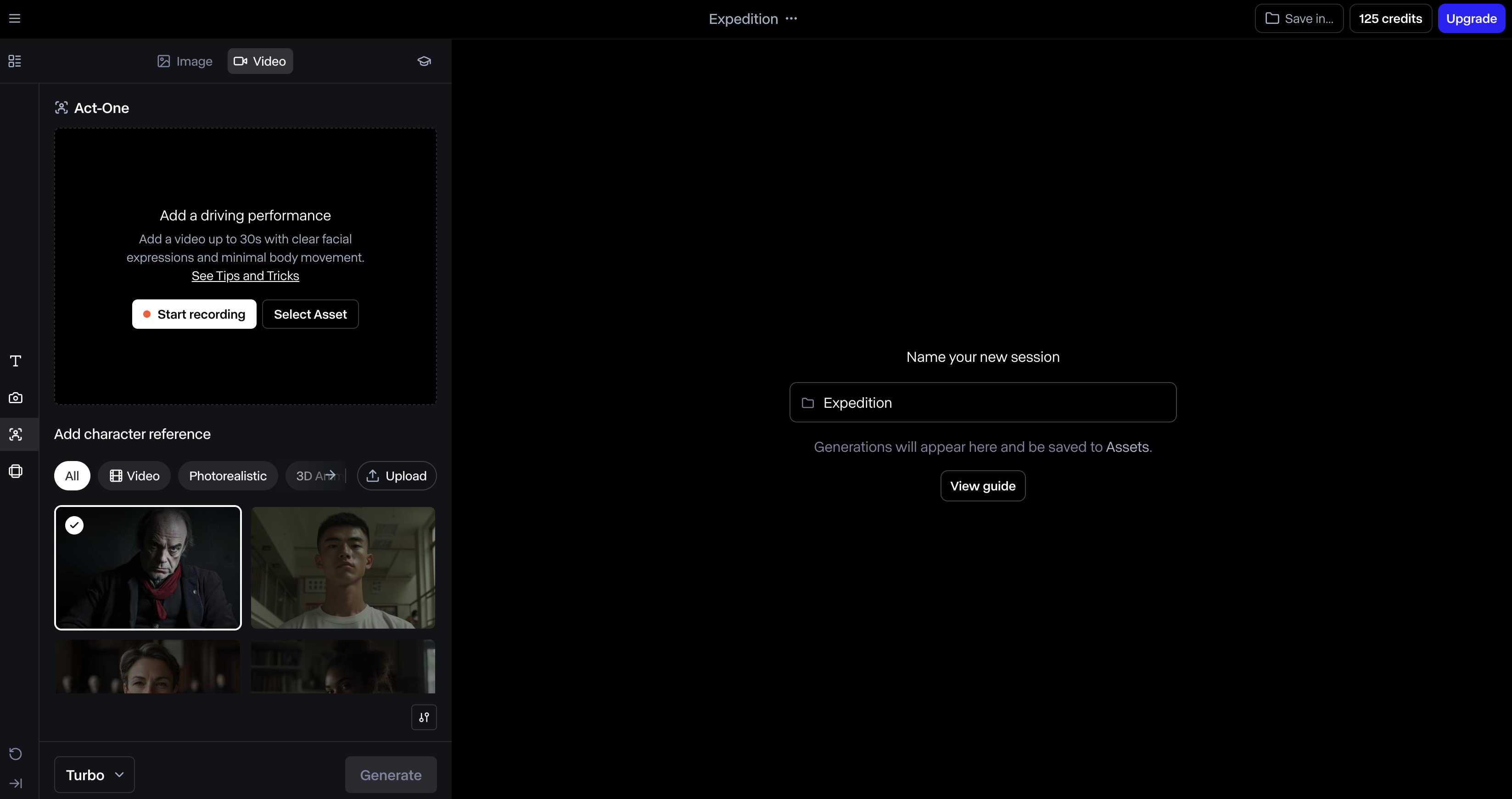
Runway is a serious creative platform for generating and transforming video, but its free plan should be understood as an exploration allowance rather than a renewable free subscription.
What you receive: Runway’s current Free plan includes 125 one-time credits, access to a limited set of generative tools, and 5 GB of asset storage. The credits do not expire, but they do not refresh after they are used.
Where the wall appears: free-plan videos carry a Runway watermark, and models available to free accounts can change. Runway’s own credit guide notes that video consumes credits much faster than images; testing a 5-second clip before a 10-second version is a better use of the allowance.
Free-plan verdict: worth using to learn prompting and test one carefully planned concept. It is not the best choice if you need an ongoing free channel-production workflow. Read Runway’s official Free plan details.
7. Adobe Express — best free tool for finishing and repurposing

 Adobe ExpressBest for finishing and repurposing videoView tool details →
For finishing a video, Adobe Express is more useful as a free finishing workspace than as an unlimited generative video service. You can combine your clips, images, text, narration, captions, templates, transitions, and music in a simple editor, then adapt the result for different platforms.
What you can do for free: Adobe’s current comparison lists drag-and-drop video creation, captions and common quick actions in the Free plan, with videos up to 30 minutes. It also lists two lifetime uses for generating a 5-second video. That allowance is valuable for testing Firefly video, but it is not renewable monthly production capacity.
Where the wall appears: premium assets, advanced editing features, 4K export, larger generative allowances, and some brand controls require a paid plan.
Free-plan verdict: a reliable place to assemble and polish assets created elsewhere. Compare Adobe Express plans.
How to use AI to make videos for free: a practical workflow
- Choose one outcome. Decide whether you need a 10-second generated shot, a 30-second Reel, or a two-minute explainer. Do not begin by choosing a tool.
- Write a short script. A 30-second voiceover is usually around 65–80 spoken words. Remove anything that does not support one clear message.
- Create a shot list. Break the script into four to six visual beats. Identify which shots can use your own footage, stock media, screenshots, or AI generation.
- Generate the expensive shot first. Use Kling, Hailuo, or Runway for the scene that would be hardest to film. Start with the shortest duration and lowest acceptable setting.
- Assemble in a free editor. Use CapCut, VEED, or Adobe Express to combine clips, narration, captions, music, and your call to action.
- Review frame by frame. Check hands, faces, product details, text, logos, physics, transitions, and lip synchronization. Replace any misleading or distorted scene.
- Confirm the export. Check resolution, watermark, licensing, and platform aspect ratio before publishing.
As a result, this hybrid workflow stretches free credits because AI generates only the scenes that genuinely benefit from it. The rest of the video uses your own assets, stock media, typography, and editing.
Use AI to make videos for free with this prompt
Create a vertical 9:16, 6-second product shot of a reusable water bottle on a dark stone table at sunrise. A soft beam of warm light moves across the bottle while the camera slowly pushes forward. Realistic reflections, natural condensation, shallow depth of field, calm premium mood, stable product shape, no text, no logo changes, no extra objects, no sudden camera movement.
A strong video prompt normally includes the subject, action, setting, camera movement, lighting, style, duration or format, and the details that must remain stable. Avoid asking for several location changes and complex actions in one short generation.
Can you use free AI videos commercially?
Sometimes—but “free to generate” is not the same as “cleared for every commercial use.” Review the terms for the exact product, model, account type, and asset used in your final video.
- Do not upload a face, voice, logo, copyrighted character, artwork, or private footage unless you have the necessary permission.
- Check whether the free plan grants commercial rights and whether a stock clip, music track, voice, avatar, or template has separate restrictions.
- Do not imply that a real person endorsed a product or said something they did not say.
- Keep records of prompts, source assets, licenses, and the plan terms that applied when the video was created.
- Follow the disclosure and synthetic-media rules of YouTube, TikTok, Instagram, advertising platforms, and your local jurisdiction.
Canva, for example, permits Canva AI designs for personal or commercial projects subject to its terms, but warns that generated output may not be exclusive and may require additional permission when it resembles protected material. That principle is sensible for every AI video tool: the creator remains responsible for the final use.
Frequently asked questions
Can I make an AI video completely free?
Yes. You can create a short video without paying by combining a free editor such as CapCut with your own images or footage, free assets, captions, voiceover, and a limited AI-generation allowance. “Completely free” usually does not mean unlimited cinematic text-to-video generation.
What is the best free AI video generator?
CapCut is the best free starting point for most people because it can create, edit, caption, voice, and export a complete social video. Kling AI is a better specialist for animating an image, while InVideo AI is easier for generating a longer faceless draft from one prompt.
Is there a free AI video generator without a watermark?
Some free editing workflows can export clean videos, but watermark rules often depend on the feature, model, template, asset, device, and region. Runway explicitly watermarks Free-plan generations, and InVideo says free renders include its watermark. Therefore, always run a short export test before completing the full project.
Can ChatGPT make AI videos for free?
ChatGPT can help write a concept, script, shot list, storyboard, voiceover, and prompts. Direct video-generation access depends on the current OpenAI product, account, plan, and region, so it should not be assumed to be an unlimited free video maker. You can still use ChatGPT for planning and complete the video in a free editor.
Can I turn text into a video for free?
Yes. CapCut, InVideo AI, and VEED provide prompt- or script-led workflows with free access or a limited free allowance. The result may use stock media, AI-generated clips, or both. Check the final export for a watermark and replace any inaccurate visuals.
Can I make YouTube videos with AI for free?
Yes. A free workflow can create the outline, script, voiceover, captions, thumbnail assets, and edited video. Long-form channels usually need a hybrid approach because fully generated video consumes credits quickly. Use AI selectively for short visual moments and build the complete episode in an editor.
Can I make AI videos on my phone?
Yes. CapCut is the simplest mobile-first option in this guide, while several browser tools also work on a mobile device. However, a desktop is still more comfortable for long timelines, detailed audio work, file management, and checking generated frames.
How long can a free AI-generated video be?
Pure text-to-video models usually generate short clips measured in seconds. Script-to-video services can assemble longer videos from multiple scenes, stock media, narration, and captions, but free exports may be limited or watermarked. For a longer video, generate several short clips and combine them in a free editor.
How to use AI to make videos for free: our recommendation
Start with CapCut if you want one free workspace that can take an idea to a finished social video. Use Kling AI or Hailuo AI only for the short scenes that benefit from generative motion. Choose InVideo AI when you need a fast faceless draft, VEED for simple browser editing, Runway to learn advanced generation, and Adobe Express to assemble and repurpose assets.
The most reliable free strategy is not to search for an unlimited magic button. It is to use a small number of free AI generations deliberately, then finish the story with a flexible editor, your own judgment, and assets you have the right to publish.