This Cursor vs GitHub Copilot comparison includes Claude Code and explains where each coding workflow fits. Short answer: Cursor is the best overall choice for developers who want an AI-first editor with a polished agent workflow. GitHub Copilot is the best value and the easiest recommendation for teams already centered on GitHub or developers who want to keep their current IDE. Claude Code is the best terminal-first option for deep repository work, scripted workflows, and developers who want explicit control over tools and commands.
Cursor, GitHub Copilot, and Claude Code can all explain code, edit multiple files, run commands, and help move a task from idea to pull request. They are not interchangeable, however. Cursor changes the editor itself, Copilot spreads across GitHub and many IDEs, and Claude Code treats the terminal and repository as the primary workspace.
Specifically, this comparison focuses on the complete developer experience: inline suggestions, repository understanding, agent workflows, model choice, IDE coverage, GitHub integration, customization, pricing, privacy, and security. Product and plan information was checked against official documentation on August 25, 2026.
Features, model access, usage allowances, and prices change frequently. Confirm the current plan before paying. Any coding agent can introduce bugs, insecure dependencies, destructive commands, or plausible but incorrect explanations. Therefore, work on a branch, protect secrets, review every diff, and run the same tests and security checks you would require from a human contributor.
Quick verdict: which AI coding tool is best?
- Best overall AI coding experience: Cursor. Choose it if you are willing to use a dedicated editor and want code completion, planning, multi-file agents, model choice, rules, cloud agents, and repository context in one coherent interface.
- Best value and widest IDE support: GitHub Copilot. Choose it if inline suggestions matter most, your work already lives on GitHub, or you want AI features without replacing VS Code, Visual Studio, JetBrains, Eclipse, Xcode, or Neovim.
- Best for terminal-first power users: Claude Code. Choose it if you prefer commands and diffs over an AI-first editor, need deep repository work, or want to build repeatable workflows with CLAUDE.md, skills, subagents, hooks, plugins, and MCP.
There is no need to buy all three immediately. As a result, start with the product that matches where you already work. GitHub Copilot is the least expensive paid starting point. Cursor earns its higher entry price when its integrated agent saves enough navigation and setup time. Claude Code earns its place when terminal control and long, delegated tasks matter more than inline completion.
Cursor vs GitHub Copilot vs Claude Code: quick comparison
| Category | Cursor | GitHub Copilot | Claude Code | Winner |
|---|---|---|---|---|
| Core experience | AI-first code editor | AI layer across IDEs and GitHub | Terminal-first coding agent with IDE integrations | Depends on workflow |
| Best for | Integrated agentic development | Completions, GitHub workflow, and IDE choice | Deep repository tasks and automation | Depends on workflow |
| Free access | Hobby plan with limited Agent and Tab | Free plan with 2,000 completions and limited AI usage | No permanent standalone free coding plan; access can come through eligible Claude subscriptions or API billing | Copilot |
| Entry paid individual plan | Pro: $20/month | Pro: $10/month | Claude Pro: $20/month with shared usage limits | Copilot |
| Inline completion | Excellent Tab workflow | Mature and available across the most IDEs | Not the main reason to choose it | Copilot |
| Agent workflow | Strongest integrated editor experience | IDE agent mode plus GitHub cloud agent | Strongest terminal-centered control and extension layer | Cursor or Claude Code |
| Model choice | Cursor models plus multiple external models | Broad model selection on paid plans | Claude models | Cursor or Copilot |
| IDE coverage | Primarily the Cursor editor | VS Code, Visual Studio, JetBrains, Eclipse, Xcode, Neovim, and GitHub surfaces | Terminal, VS Code-family editors, and JetBrains integrations | Copilot |
| Customization | Rules, skills, hooks, plugins, MCP | Instructions, prompt files, agents, skills, MCP | CLAUDE.md, skills, subagents, agent teams, hooks, plugins, MCP | Claude Code |
| Best GitHub fit | Good repository integration | Native issues, pull requests, code review, and cloud agent workflow | Strong through CLI, GitHub Actions, and integrations | Copilot |
How we compared Cursor, GitHub Copilot, and Claude Code
A benchmark cannot answer this comparison by itself. For example, all three products can expose overlapping models, and a provider can change the default model without changing the workflow around it. We therefore compared the products as development environments using eight practical questions:
- How quickly does useful context enter the prompt? We considered open files, repository indexing, instructions, terminal state, issues, pull requests, and user-selected context.
- How well does the product support small edits? This includes inline completion, next-edit prediction, targeted changes, and staying in flow.
- How well does it support large tasks? We looked at planning, multi-file edits, command execution, background work, and reviewable handoff.
- How much control does the developer keep? Good agents should make permissions, diffs, commands, and costs understandable.
- Where can it run? Changing an established IDE can be more expensive than changing an AI model.
- How can a team standardize it? We considered repository instructions, reusable workflows, hooks, extensions, policies, and administration.
- What does the paid plan actually buy? We separated unlimited or included editing features from metered agent and model usage.
- What happens to private code? We reviewed official privacy and security documentation rather than assuming every personal and business plan has the same terms.
Our verdict is a documentation-led workflow recommendation, not a fabricated claim that we ran an identical proprietary benchmark on all three products. Results also depend on language, repository quality, instructions, model selection, test coverage, and the amount of context a developer provides.
1. Cursor: best overall integrated AI coding experience

 CursorBest overall AI coding experienceView tool details →
Cursor is the easiest of the three to recommend when a developer wants AI to shape the entire editor experience. Specifically, it is designed around understanding a repository, predicting the next edit, discussing architecture, planning work, changing multiple files, running tools, and reviewing the result without forcing the user to assemble separate extensions.
Where Cursor is strongest
A coherent editor-agent loop. Cursor’s advantage is not that it has exclusive access to one unbeatable model. Its advantage is the distance between intent and action. For instance, Tab completion, chat, planning, agent changes, codebase context, terminal activity, diffs, rules, and model selection belong to one product. That coherence matters during a real task with repeated loops of inspect, change, run, and correct.
Flexible model access. In addition, Cursor offers its own model pool and access to external frontier models on paid plans. For example, developers can choose a model directly or use Auto modes that balance cost and capability. This is useful when fast edits, complex reasoning, and large-context work do not justify the same model or price.
Local and cloud agents. Furthermore, Cursor can keep work in the foreground or hand tasks to cloud agents. Teams can also add Bugbot, automations, shared context, analytics, policy controls, and centralized administration. Thus, the product increasingly covers the path from editor suggestion to delegated pull request.
Where Cursor falls short
However, the main compromise is the editor. Cursor will feel familiar to VS Code users, but adopting a dedicated fork is still a workflow decision. Organizations with deeply standardized Visual Studio, JetBrains, Eclipse, or Xcode environments may prefer an AI layer that comes to their existing tools. Pricing is another tradeoff: Pro starts at $20 per month, while GitHub Copilot Pro starts at $10.
Usage is not a simple promise of unlimited work. Cursor’s current plans combine included usage pools with model-dependent consumption and optional on-demand billing. Heavy daily Agent users may need Pro Plus at $60 per month, Ultra at $200 per month, or additional usage. Check the official Cursor models and pricing documentation before choosing a tier.
Choose Cursor if: you want the most polished single environment for AI-first coding and are comfortable making Cursor your primary editor.
2. GitHub Copilot: best value, IDE coverage, and GitHub workflow
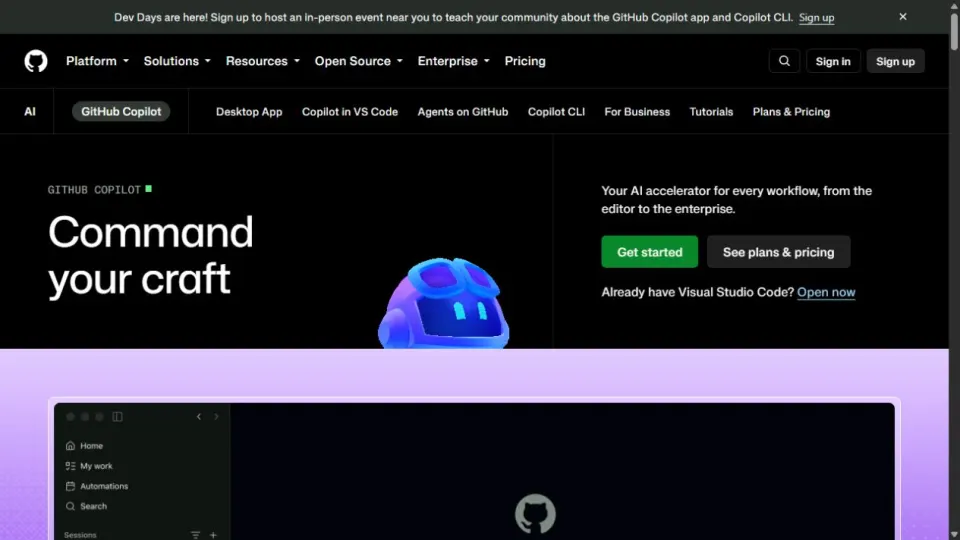
 GitHub CopilotBest value and broadest ecosystem fitView tool details →
Today, GitHub Copilot is no longer only an autocomplete extension. It now spans inline suggestions, next-edit suggestions, chat, agent mode, code review, command-line assistance, GitHub.com, mobile, and cloud-based coding work. Its strongest advantage is distribution: it can meet developers inside their current IDE and follow the code into the GitHub collaboration workflow.
Where GitHub Copilot is strongest
Inline help without an editor migration. Copilot remains the safest recommendation for a developer who wants high-quality completion and next-edit suggestions while keeping the tools they already use. GitHub’s current feature matrix covers VS Code, Visual Studio, JetBrains, Eclipse, Xcode, and Neovim, although the exact features differ by IDE.
Native GitHub context. Copilot can participate where teams already discuss and review code: repositories, issues, pull requests, code review, GitHub CLI, and the Copilot cloud agent. That reduces handoffs between an editor-only assistant and the system that controls collaboration, checks, and merge decisions.
Price. Copilot Free includes 2,000 completions per month and limited AI usage. Copilot Pro costs $10 per month and includes unlimited code completion and next-edit suggestions on paid terms, plus an allowance of AI credits for metered features. Pro+ costs $39 per month, while Max costs $100 per month for much heavier agent and premium-model usage.
Where GitHub Copilot falls short
Even so, its breadth can also make the product harder to understand. Agent availability, model access, previews, and advanced features vary by plan and IDE. GitHub’s 2026 AI-credit system also means “paid” does not mean every model or agent action is unmetered. Teams should identify which work consumes credits and set expectations before a large rollout.
Copilot is highly capable at agentic work, but Cursor can feel more coherent when every step happens inside one AI-first editor. Claude Code can feel more transparent to terminal-oriented developers who want to see commands, permissions, and repository operations directly.
Review the current GitHub Copilot plans and the Copilot feature matrix before subscribing.
Choose GitHub Copilot if: you want the best paid entry price, work across multiple IDEs, or need AI to fit naturally into GitHub collaboration.
3. Claude Code: best for terminal-first deep work and customization

 Claude CodeBest for terminal-first deep workView tool details →
For terminal users, Claude Code is the best fit for developers who already think in repositories, commands, scripts, and reviewable diffs. It runs in the terminal and supported IDEs, reads and edits files, searches code, executes tools, and uses Claude models to keep working through multi-step tasks. The interface is less visually guided than Cursor, but that directness is its appeal.
Where Claude Code is strongest
Deep repository work. Claude Code is particularly compelling when a task starts with “understand this codebase” rather than “complete this line.” It can trace behavior, form a plan, edit multiple files, run tests, interpret failures, and iterate while keeping the developer close to the terminal state.
An unusually rich extension layer. CLAUDE.md provides persistent project instructions. Skills package reusable knowledge and workflows. Subagents isolate focused work. Agent teams can coordinate independent sessions. Hooks enforce or automate behavior at lifecycle events. MCP connects external tools, and plugins distribute a complete setup. This makes Claude Code attractive for teams that want to turn good prompting habits into repeatable engineering systems.
Flexible deployment and billing paths. Individual users can access Claude Code through Claude Pro or Max subscriptions. Pro is $20 per month; Max tiers are $100 and $200 per month. Usage is shared with the Claude app and depends on codebase size, model, conversation length, and task complexity. API users can instead pay by token, and organizations can use Team, Enterprise, or supported cloud-provider arrangements.
Where Claude Code falls short
That said, Claude Code is not the best product for a developer whose primary need is quiet, constant inline completion. It also has a steeper learning curve: permissions, context management, commands, instruction files, hooks, and cost controls reward deliberate setup. Pro can be enough for light work, but frequent agent use on larger repositories may push a developer toward Max or usage-based billing.
Claude Code can run in supported IDEs, including VS Code-family products and JetBrains, but its identity remains terminal-first. Developers who want a richly visual, integrated editor may prefer Cursor. Developers who need the widest IDE and GitHub-native coverage may prefer Copilot.
See Anthropic’s Claude Code overview, extension features, and subscription guidance.
Choose Claude Code if: the terminal is your natural workspace and you want the most programmable, explicit, and extensible agent workflow.
Cursor vs GitHub Copilot vs Claude Code by workflow
Inline completion: Cursor vs GitHub Copilot
Copilot wins because completion is mature, inexpensive on the Pro plan, and available across the broadest IDE range. Cursor’s Tab experience is excellent and may feel more predictive inside its own editor, but it requires adopting Cursor. Claude Code can assist inside IDEs, yet completion is not the central reason to buy it.
Editor agents: Cursor vs GitHub Copilot
Cursor wins when a developer wants to move smoothly from a question to a plan, a multi-file change, a terminal run, and a reviewed diff without leaving an AI-first interface. Copilot agent mode is a serious alternative—especially in VS Code—but Cursor’s product is built around this loop from the beginning.
Best for complex terminal and repository tasks: Claude Code
Claude Code wins when the developer wants a coding agent to behave like a powerful command-line collaborator. Its built-in file, search, execution, and web tools combine with permissions and an extensive customization system. It is especially strong for debugging across a repository, refactoring with tests, migration work, and repeatable engineering procedures.
GitHub workflows: Cursor vs GitHub Copilot
Copilot has the structural advantage because GitHub owns the collaboration surface. The cloud agent, code review features, pull request context, and organization policies belong beside the repositories themselves. Cursor and Claude Code can work effectively with GitHub, but Copilot requires fewer bridges.
Model choice: Cursor vs GitHub Copilot
Both expose a selection of model families on paid plans. This reduces dependence on one provider and lets a developer match cost and capability to the task. Claude Code is the better choice when the developer specifically wants the Claude workflow and models; it is not the best choice when switching among many model providers is a purchase requirement.
Best customization: Claude Code
All three support project instructions and MCP-style integrations, but Claude Code offers the clearest ladder from a simple instruction file to skills, isolated subagents, coordinated agent teams, deterministic hooks, and distributable plugins. Cursor has become highly extensible, while Copilot offers custom instructions, prompt files, agents, skills, and MCP with support that varies by IDE.
Value: Cursor vs GitHub Copilot vs Claude Code
At $10 per month, Copilot Pro is the easiest paid starting point. Cursor Pro and Claude Pro both begin at $20. Price alone is not value, however. A $20 product that fits the workflow can be cheaper than a $10 product that creates friction, and heavy agent users on any platform should expect limits or usage-based costs beyond entry pricing.
Privacy: Cursor vs GitHub Copilot vs Claude Code
Cursor states that Privacy Mode is available on free and Pro accounts and that, when enabled, code is not used for training by Cursor or its model providers. GitHub states that interactions from Copilot Free, Pro, and Pro+ users may be used to improve models unless the user opts out; organizational terms and controls differ. Anthropic gives consumer users training controls, while Team, Enterprise, and API terms state that code and prompts are not used to train models; eligible Enterprise customers can request zero data retention for supported Claude Code inference.
Those statements do not make an agent safe for every repository. Code context still has to be processed to produce an answer, cloud agents may need stored repository access, extensions and MCP servers add data paths, and business plans can have different retention and control features. Review the exact contract and architecture for your account.
What the monthly price does not tell you
The subscription headline is only the first cost. Before standardizing a tool, check:
- Agent metering: premium models, cloud agents, or long tasks may consume credits or included usage much faster than completion.
- Context cost: large repositories and long conversations increase model work and may reduce the number of tasks included in a plan.
- Migration cost: changing editors, extensions, shortcuts, remote-development setups, and team documentation can outweigh a small subscription difference.
- Review cost: generated code still needs tests, security review, dependency checks, and human ownership.
- Administration: SSO, SCIM, audit logs, content exclusions, network controls, pooled usage, and invoicing usually require business or enterprise plans.
Choosing between Cursor vs GitHub Copilot and Claude Code
Choose Cursor if…
- You are comfortable using a dedicated VS Code-style editor.
- You want the smoothest integrated path from completion to agentic multi-file work.
- You value model choice, repository context, cloud agents, and an AI-first interface.
- You are a solo developer or small team willing to redesign the workflow around AI.
When GitHub Copilot fits your workflow
- You want the lowest-cost paid entry point.
- You need to keep Visual Studio, JetBrains, Eclipse, Xcode, Neovim, or another established IDE.
- Your team already manages work through GitHub issues, pull requests, reviews, and policies.
- Reliable inline suggestions matter more than having the most opinionated agent environment.
Choose Claude Code if…
- You prefer the terminal and want to inspect commands, permissions, and diffs directly.
- You delegate large repository tasks rather than relying mainly on autocomplete.
- You want reusable CLAUDE.md instructions, skills, subagents, hooks, plugins, and MCP workflows.
- Your organization wants a coding agent that can fit existing command-line and automation practices.
Our final recommendation: choose Cursor for the best complete AI-first coding environment, GitHub Copilot for the best value and least disruptive adoption, and Claude Code for the deepest terminal-centered workflow. If you are undecided, start with Copilot Free or Pro in your current IDE. Move to Cursor when you want AI to reshape the editor, or add Claude Code when terminal-based agent work becomes a central part of your day.
Frequently asked questions
Is Cursor better than GitHub Copilot?
Cursor is better for developers who want an AI-first editor and a highly integrated agent workflow. GitHub Copilot is better for developers who want to keep their current IDE, pay less for an individual plan, or work deeply inside GitHub. The better product depends on whether editor integration or ecosystem compatibility matters more.
Is Claude Code better than Cursor?
Claude Code is better for terminal-first work, explicit command control, and highly customized automation. Cursor is better for a visual, unified editor experience with completion and agents in the same interface. Many power users can justify Claude Code alongside their preferred editor, but a new user should begin with one product.
Which tool is best for beginners?
GitHub Copilot is the easiest low-risk starting point because it has a useful free plan and works inside familiar IDEs. Cursor can be easier for beginners who want the AI to guide larger tasks, but they must still learn to review changes and understand the generated code.
Which tool is best for large codebases?
Cursor and Claude Code are the strongest recommendations. Cursor provides a polished repository-aware editor workflow, while Claude Code excels at terminal-driven investigation, multi-step changes, and repeatable project instructions. Repository structure, indexing, tests, and carefully scoped prompts matter as much as the product name.
Can I use Claude Code inside Cursor?
Yes. Anthropic documents Claude Code support in VS Code, Cursor and other VS Code forks, and JetBrains IDEs. Usage still follows the Claude account or API billing path used to authenticate Claude Code.
Do these tools train on private code?
The answer depends on the provider, plan, and settings. Cursor offers Privacy Mode. GitHub allows eligible individual users to opt out of model improvement and provides different controls for organizations. Anthropic separates consumer settings from commercial terms and offers zero data retention for eligible Enterprise use. Read the current policy for the exact account, not a general marketing summary.
Can an AI coding agent safely run commands?
No agent should receive blind trust. Use the least permission required, review commands before execution, isolate work on a branch or worktree, protect environment files and credentials, restrict network access where practical, and require tests, linting, security scanning, and human review before merging.