
Our Otter vs Fireflies comparison includes MeetGeek, with a focus on live notes, useful summaries and team follow-up. Short answer: MeetGeek is the best AI meeting assistant overall for most teams because it combines a useful free plan, 100+ transcription languages, bot and no-bot capture, strong summaries, analytics, integrations, AI workflows, and unusually competitive paid plans. Fireflies.ai is the better choice for sales and operations teams that want the broadest integration and conversation-intelligence layer. Otter.ai remains the easiest recommendation for live transcription, in-person conversations, lectures, interviews, and people who want notes while the discussion is still happening.
Otter vs Fireflies vs MeetGeek: how to use this comparison
Otter, Fireflies, and MeetGeek all promise to record a meeting, identify speakers, create a transcript, summarize the conversation, and surface action items. Therefore, that makes them look interchangeable on a feature checklist. In practice, each product is optimized for a different moment: Otter is strongest during the conversation, Fireflies is strongest when meeting data must flow into a larger sales or operations system, and MeetGeek offers the most balanced path from capture to organized follow-up.
Specifically, we compared the current free and paid plans, meeting limits, transcription languages, capture methods, live notes, summaries, cross-meeting chat, search, integrations, APIs, analytics, collaboration, retention, and enterprise controls. Prices and product details were verified on August 25, 2026 using the companies’ official pricing and help pages.
Important: transcript accuracy changes with microphones, accents, crosstalk, vocabulary, connection quality, room acoustics, and language. However, this is a workflow comparison, not a laboratory word-error-rate benchmark. Test the same difficult recording in all three products before committing your team, and always follow local recording-consent laws and company policy.
Otter vs Fireflies vs MeetGeek: the quick verdict
- Best overall: MeetGeek. It offers the strongest balance of languages, capture options, useful summaries, analytics, automation, API/MCP access, and transparent self-serve pricing.
- Best for sales and revenue teams: Fireflies.ai. Its conversation intelligence, topic trackers, AskFred, team insights, CRM workflows, channels, and wide integration catalog make meetings operational data rather than isolated documents.
- Best for live transcription and in-person notes: Otter.ai. Otter’s real-time transcript, mobile recording, speaker labeling, live notes, and familiar conversation view are particularly useful for interviews, lectures, workshops, and accessibility.
- Best free plan for predictable use: MeetGeek. Three transcription hours per month, unlimited AI summaries, 100+ languages, uploads, search, AI Chat, mobile access, no-bot capture, API, and MCP make the allowance easy to understand.
- Best free plan for high meeting volume with limited storage: Fireflies.ai. The pricing page advertises unlimited transcription and summaries, but the free workspace includes only 400 storage minutes and separate sign-up or advanced-AI credit rules.
- Best multilingual coverage: Fireflies and MeetGeek. Both list more than 100 transcription languages; Otter’s current pricing page lists English, Spanish, French, German, Japanese, and Chinese.
- Best automation value: MeetGeek. Pro adds unlimited integrations, Zapier, Make, n8n, AI Agents, and workflows at a listed $9.99 per user per month.
- Best enterprise sales intelligence: Fireflies.ai. Business adds conversation intelligence and team analytics; Enterprise adds a rules engine, SSO, SCIM, audit logs, HIPAA support, private storage, and custom retention.
If your meeting assistant will feed content into campaigns, compare our guide to the best AI marketing tools. Teams producing recorded training or customer education can also review HeyGen vs Synthesia.
Otter vs Fireflies vs MeetGeek comparison table
| Category | Otter.ai | Fireflies.ai | MeetGeek | Winner |
|---|---|---|---|---|
| Best use | Live notes, interviews, education, in-person recording | Sales, CRM, integrations, conversation intelligence | Balanced team workflows and automated follow-up | MeetGeek overall |
| Free allowance | 300 transcription min/mo; 30-min conversation cap | Unlimited transcription label; 400 storage min/team | 3 transcription hours/mo; 2-hour meeting cap | MeetGeek for clarity |
| First paid plan | Pro: $16.99 monthly or about $8.33 annually | Pro: $18 monthly or $10 annually | Pro: listed at $9.99/mo | MeetGeek |
| Paid transcription | 1,200 min on Pro; unlimited meetings on Business | Unlimited on paid plans | 20 hours Pro; unlimited Business | Fireflies for Pro volume |
| Languages | 6 listed transcription languages | 100+ languages | 100+ languages with auto detection | Fireflies / MeetGeek |
| Live transcription | Core strength across app and supported meetings | Real-time notes and live transcription | Meeting capture emphasizes post-meeting workflow | Otter |
| No-bot capture | Desktop app and Chrome extension options | Chrome extension, desktop, and mobile apps | Browser extension, desktop recorder, and mobile apps | Tie |
| Cross-meeting AI | AI Chat within and across meetings | AskFred, global search, assistants, AI Skills | Global AI Chat, tools, Meeting Skills, agents | Depends on workflow |
| Integrations | Key CRM and automation integrations on paid plans | Unlimited integrations on Pro; broad operations focus | Unlimited integrations on Pro plus Zapier, Make, n8n | Fireflies |
| Conversation analytics | Keywords, talk time, workspace analytics | Topic trackers, sentiment, questions, talk time, team insights | Meeting analytics, coaching signals, aggregated and team analytics | Fireflies |
| API access | Enterprise API and webhooks; MCP available | API access listed from Free | API and MCP listed from Basic | MeetGeek / Fireflies |
| Enterprise controls | SSO, SCIM, domain capture, granular recording and sharing controls | SSO, SCIM, audit logs, private storage, custom retention | SSO, SCIM, policy locks, zero/custom retention, hosting options | Requirements-dependent |
Reading the Otter vs Fireflies vs MeetGeek plan comparison
A check mark does not tell you whether a feature is included at your tier, limited by storage, charged through a separate AI-credit pool, restricted to certain meeting platforms, or controlled by an enterprise agreement. The sections below explain the limits that materially change the buying decision.
How we compared Otter, Fireflies, and MeetGeek
We mapped the three assistants against eight common meeting briefs rather than counting marketing-page features:
- A 45-minute weekly team meeting with decisions, owners, and due dates.
- A one-hour sales discovery call that must update CRM fields and create follow-up tasks.
- A two-hour workshop with several speakers, jargon, and frequent interruptions.
- A multilingual customer interview that needs searchable notes and a reliable summary.
- An in-person lecture or interview recorded from a phone or laptop.
- A sensitive internal call that should be captured without an obvious meeting bot.
- A manager asking a question across several past meetings instead of opening each transcript.
- An automated workflow that sends approved decisions into a project, CRM, or knowledge system.
In addition, we evaluated capture coverage, live usefulness, transcript controls, speaker identification, vocabulary, summaries, action items, search, cross-meeting AI, integrations, analytics, sharing, retention, administration, and price predictability. However, we did not publish invented accuracy percentages: none of the three can have one honest accuracy score that applies to every language, room, microphone, or speaker mix.
Otter.ai overview: best for live transcription and immediate notes

 Otter.aiBest for live transcription, interviews, and in-person notesView tool details →
Otter feels like a live conversation notebook. It can join Zoom, Microsoft Teams, and Google Meet, but its strongest experience is the transcript that appears while people are speaking. A user can follow the discussion, highlight a moment, identify speakers, search, add comments, and return to synchronized audio later. Mobile and desktop recording also make it useful beyond scheduled video calls.
The Basic plan includes 300 transcription minutes per month, AI Chat within and across meetings, live transcription, speaker identification, playback, mobile apps, and three lifetime file imports. Pro increases the allowance to 1,200 minutes, raises the conversation limit from 30 to 90 minutes, adds ten monthly imports, unlimited history and storage, advanced search and export, custom vocabulary, and integrations such as Salesforce, HubSpot, and Zapier. In addition, Business adds unlimited meetings and in-app recordings, four-hour conversations, three concurrent meetings, custom workflows, and stronger administration.
What Otter does best
- Live visibility: follow the transcript during a lecture, interview, workshop, or call instead of waiting for a recap.
- In-person use: mobile and desktop recording suit conversations that do not happen inside a calendar video meeting.
- Human-readable conversation history: transcript, speakers, highlights, playback, comments, and AI Chat live in a familiar notebook-like view.
- Vocabulary control: paid plans support team vocabulary and taggable speakers, which helps with names, acronyms, and industry terms.
Where Otter is weaker
However, language coverage is much narrower than the other two products. Otter currently lists English, Spanish, French, German, Japanese, and Chinese, while Fireflies and MeetGeek advertise more than 100 languages. The Basic plan’s 30-minute per-conversation limit also makes its 300 monthly minutes less useful for standard one-hour meetings.
Otter has expanded into workflows, connectors, MCP, sales agents, recruiting, and enterprise integrations, but Fireflies still presents the deeper self-serve conversation-intelligence and integration layer. MeetGeek makes broad API, MCP, no-bot, multilingual, and automation features available at a lower visible entry point.
Fireflies.ai overview: best for integrations and conversation intelligence

 Fireflies.aiBest for sales workflows, integrations, and conversation analyticsView tool details →
Fireflies treats a meeting as structured business data. Specifically, its Notetaker can attend calls across Zoom, Google Meet, Microsoft Teams, and other platforms; the Chrome extension, desktop app, and mobile apps add bot-free or in-person capture routes. After the call, Fireflies provides a transcript, summary, action items, search, AskFred, soundbites, channels, tasks, topic trackers, and integration workflows.
That depth is most valuable in repeatable customer conversations. For example, a sales manager can track questions, objections, competitor mentions, talk time, sentiment, and chosen topics across calls. Operations teams can send notes to CRM records, project tools, Slack, or custom systems instead of treating every transcript as an isolated file.
What Fireflies does best
- Integration breadth: Pro lists unlimited integrations, while the platform also exposes API access and automation options.
- Conversation intelligence: topic trackers, key topics, sentiment, question detection, speaker talk time, and team insights help managers identify patterns.
- Search and reuse: AskFred, global search, channels, clips, tasks, and AI Skills turn a transcript into reusable knowledge and follow-up.
- Multilingual teams: more than 100 transcription languages and a Business multi-language mode cover a broader global organization than Otter.
Where Fireflies is weaker
Even so, its pricing language requires careful reading. The Free page advertises unlimited transcription and AI summaries, yet free storage is limited to 400 minutes per team, and separate documentation describes sign-up transcription credits that vary by acquisition channel. Advanced tools also use AI credits. Paid plans include initial AI-credit amounts, but the credits are shared by the team, do not increase automatically with more seats, and purchased monthly credits do not roll over.
Fireflies can also feel busy for someone who simply wants clean notes. Furthermore, the platform now includes assistants, skills, voice agents, analytics, feeds, contacts, tasks, channels, and multiple credit concepts. That is a strength for operations teams and unnecessary surface area for a student, journalist, or occasional interviewer.
MeetGeek overview: the best balanced AI meeting assistant
 MeetGeekBest overall for multilingual notes, value, and automated workflowsView tool details →
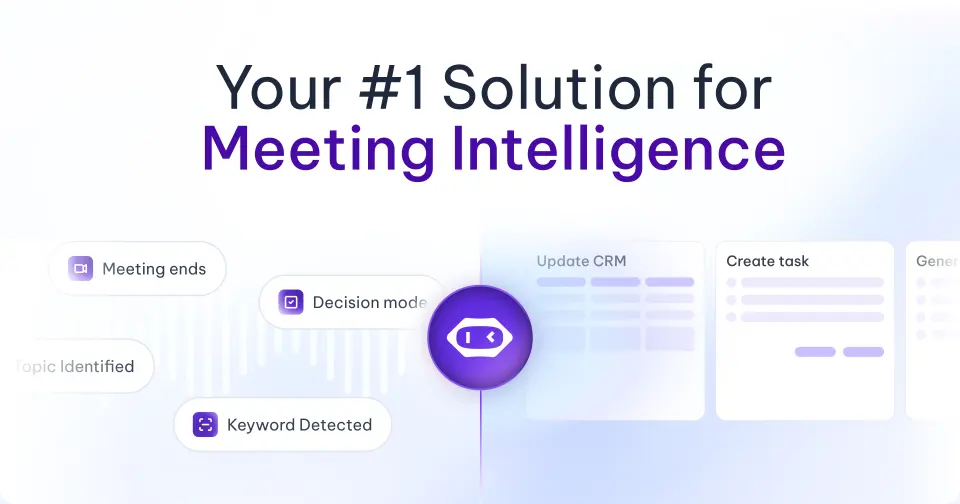
MeetGeek combines the approachable meeting recap of Otter with much of the automation and analytics depth of Fireflies. It can join Zoom, Google Meet, and Teams, record without a bot through browser or desktop tools, capture in-person meetings from mobile, process uploaded files, transcribe in more than 100 languages, generate unlimited summaries, organize folders and tags, and answer questions across past meetings.
The Basic plan is unusually complete: three transcription hours per month, three months of transcript storage, one month of audio storage, summaries, analytics, global search, AI Chat, uploads, mobile apps, no-bot recording, API, and MCP access. Also, Pro raises the allowance to 20 hours, extends retention, and adds templates, automatic meeting-type detection, unlimited integrations, Zapier, Make, n8n, AI Chat with tools, and agentic workflows. Meanwhile, Business moves to unlimited transcription and adds HD video, team spaces, analytics, sharing rules, comments, branding, privacy defaults, and recording-consent notifications.
What MeetGeek does best
- Balanced feature access: multilingual transcription, AI Chat, analytics, uploads, no-bot recording, API, and MCP appear on the free tier.
- Self-serve value: Pro is listed at $9.99 per user per month and includes 20 hours plus integrations and workflow automation.
- Meeting-to-action workflow: templates, Meeting Skills, tools, agents, follow-up rules, integrations, and team spaces connect notes to work.
- Clear retention model: the plan table states transcription, audio, and video retention separately instead of hiding every limit behind “storage.”
Where MeetGeek is weaker
That said, Otter is still the more recognizable live-transcription notebook, especially for an individual following a conversation word by word. Fireflies offers a larger and more mature-feeling conversation-intelligence ecosystem for sales operations. MeetGeek’s rapid expansion into Meeting Skills, agents, voice agents, AI Chat tools, MCP, and workflows also means buyers should verify which features are generally available, in beta, or subject to usage rules at checkout.
Otter vs Fireflies vs MeetGeek: transcript accuracy
Winner: no universal winner; Otter for live review, Fireflies and MeetGeek for language coverage.
The correct question is not “Which product is 99% accurate?” It is “Which product produces the most usable record from our hardest recurring meeting?” A clean one-to-one English call recorded through a conferencing platform is very different from a hybrid workshop with six speakers, a distant room microphone, product codes, accents, and interruptions.
Otter’s advantage is that the transcript is useful while the conversation is happening. A participant can notice a misspelled name, confirm context, highlight a statement, or use the live text as an accessibility aid. Pro vocabulary and shared speakers improve repeat meetings with known people and terminology.
Fireflies and MeetGeek cover far more languages. Both list automatic speaker recognition, editing, uploads, and more than 100 transcription languages. That makes either a safer shortlist for a distributed company, but language count does not prove equal quality in every language. A language can be technically available while struggling with a regional accent, code-switching, names, or specialized vocabulary.
For a fair pilot, use the same source audio, correct speaker labels by hand, and count consequential errors: wrong decisions, missing negatives, confused owners, incorrect amounts, dates, names, and action items. A transcript that reads smoothly but changes “do not ship” to “ship” is worse than one with several harmless punctuation errors.
Otter vs Fireflies vs MeetGeek: summaries and action items
Winner: MeetGeek for balanced follow-up; Fireflies for configurable intelligence; Otter for immediate simplicity.
Otter creates summaries and action items around a readable conversation view, then lets users ask AI Chat questions within or across meetings. Its new workflows and templates can turn conversations into outputs, while Business and Enterprise add deeper customization and connectors. The experience is easy to grasp: record, read, ask, and share.
Fireflies goes further into configuration. AskFred answers questions, AI Skills apply specialized templates, topic trackers watch for chosen concepts, and conversation intelligence aggregates patterns. This is powerful when a sales or recruiting organization knows exactly what it wants to measure. The trade-off is plan and credit complexity for advanced AI actions.
MeetGeek’s strength is the path from recap to execution. Meeting-type detection can apply the right template, AI Chat can use tools, Meeting Skills transform notes, and workflows can move decisions into connected systems. For a general team that wants automation without building a full revenue-intelligence program, this is the most balanced system.
Never send an AI recap automatically to customers or executives without review. Check the attendee list, decision wording, task owner, due date, financial figures, quotations, and sensitive comments. The most expensive meeting error is often a confident summary that silently assigned the wrong commitment.
Otter vs Fireflies vs MeetGeek: bots and live notes
Winner: Otter for live notes; three-way tie for capture flexibility.
A calendar bot is convenient: it joins consistently, makes recording visible, and can capture a meeting even when the owner is late. It can also create friction. External guests may refuse an unknown attendee, companies may block bots, multiple colleagues can accidentally send several assistants, and a sensitive conversation may require a different workflow.
All three products now offer alternatives. Otter provides desktop and browser capture routes alongside its Notetaker and mobile apps. Fireflies lists real-time notes, Chrome-extension recording without its bot, desktop and mobile apps, and uploads. MeetGeek supports bot recording, browser and desktop no-bot recording, mobile capture, and uploaded media.
Otter wins when live text is the primary product. If a journalist needs searchable notes during an interview, a student needs lecture captions, or a participant wants to highlight a decision before the meeting ends, Otter’s real-time experience is the natural first test. Fireflies and MeetGeek can provide live or no-bot capture, but their strongest value appears after the meeting through analysis and automation.
Otter vs Fireflies vs MeetGeek: language support
Winner: Fireflies and MeetGeek.
Fireflies and MeetGeek both advertise transcription in more than 100 languages. MeetGeek also lists automatic language detection and summaries in supported languages. Fireflies Business adds multi-language mode, which matters when a single meeting contains more than one language.
Otter’s current six-language catalog is adequate for many North American, European, and Asian teams but cannot match that breadth. Its language list is English, Spanish, French, German, Japanese, and Chinese. If the company operates outside those languages, Otter should leave the shortlist immediately unless the specific workflow uses English.
Do not buy based on the number alone. Test the language actually spoken, the regional accent, code-switching, names, acronyms, technical phrases, and the summary—not only the raw transcript. Ask native speakers to verify meaning and tone. For legal, clinical, HR, financial, or safety-critical meetings, AI notes should remain a convenience layer rather than the authoritative record.
Otter vs Fireflies vs MeetGeek: integrations and automation
Winner: Fireflies for breadth; MeetGeek for self-serve automation value.
Fireflies Pro includes unlimited integrations and is designed to push meeting data into the operational stack. It can connect notes and insights with CRM, collaboration, and automation systems; API access is listed even on the Free plan. Business conversation intelligence and team analytics make the data useful at management level, not just inside one transcript.
MeetGeek Pro lists unlimited integrations plus Zapier, Make, and n8n, then adds AI Chat with tools and AI Agents & Workflows. API and MCP access appear on Basic, creating an accessible route for builders who want meeting intelligence inside ChatGPT, Claude, or internal tools. Business adds unlimited agentic workflows and team automation.
Otter provides Salesforce, HubSpot, and Zapier on paid self-serve plans, with a larger Enterprise integration catalog, API, webhooks, CRM and dialer options, and connectors for systems such as Notion, Google Drive, Jira, and Microsoft services. It can support a sophisticated deployment, but the broadest programmable controls sit higher in the sales process.
Before choosing, diagram one complete automation: trigger, meeting match, summary template, customer or project identification, field mapping, task creation, human approval, retry behavior, and data deletion. “Integrates with Salesforce” is not enough if the plan cannot update the object or custom field your team actually uses.
Otter vs Fireflies vs MeetGeek: search and analytics
Winner: Fireflies for analytics; MeetGeek for balanced team use.
Fireflies is the strongest choice when managers need patterns across calls. Topic trackers can watch for objections, competitor names, product themes, or compliance phrases. Question detection, sentiment, speaker talk time, conversation intelligence, and team insights help a sales or customer-success leader coach behavior and identify recurring customer needs.
MeetGeek includes meeting analytics even on Basic, then adds personal aggregated analytics on Pro and team analytics, comments, group spaces, and AI auto-sharing on Business. This is enough for many cross-functional teams without turning the product into a dedicated revenue-intelligence suite.
Otter offers keywords, speaker talk time, channels, comments, AI Chat, and Enterprise workspace analytics. Its collaboration is strongest when people want to work directly with the transcript and audio rather than build a large analytics program.
Analytics can mislead when treated as performance truth. A high talk-time percentage may be appropriate for a product demo and harmful in a discovery call. Sentiment can misread humor, cultural style, or technical disagreement. Use signals to find conversations for human review, not to score employees automatically without context and governance.
Otter vs Fireflies vs MeetGeek: privacy and consent
Winner: depends on the organization’s exact controls and agreement.
Meeting assistants process some of a company’s most sensitive unstructured data: customer objections, employee discussions, product roadmaps, legal advice, financial numbers, health details, passwords spoken aloud, and confidential decisions. A vendor logo on a trust page is not a complete security review.
Otter Enterprise provides SSO, SCIM, domain capture, role and sharing controls, retention settings, integration controls, workspace governance, and options such as removing audio while keeping the transcript. HIPAA support is listed as an add-on. Otter also documents a Microsoft Teams permission flow that can require participants to agree to recording.
Fireflies lists SOC 2 Type II and GDPR controls across its comparison table, while Enterprise adds SSO, SCIM, audit logs, HIPAA compliance, private storage, custom data retention, transcript-and-summary-only mode, and super-admin controls.
MeetGeek states that recordings and transcripts are encrypted, offers EU and US hosting, and cites SOC 2, GDPR, HIPAA, and CCPA. Business adds private-by-default meetings and recording-consent notifications. Enterprise adds organization-wide policy locks, SSO, SCIM, zero or custom retention, and on-premise storage options.
Ask every shortlisted vendor about data location, encryption, subprocessors, model training, retention, deletion propagation, backups, export, legal hold, DPA and BAA availability, admin auditability, private sharing defaults, bot identity, and incident response. Then create an internal policy defining which meetings may be recorded, who must consent, who can access the result, how long it remains, and which downstream systems may receive it.
Otter vs Fireflies vs MeetGeek: pricing and usage
Otter.ai pricing
- Basic — Free: 300 monthly transcription minutes, 30 minutes per conversation, 25 recent conversations, and three lifetime file imports.
- Pro — $16.99 monthly or about $8.33 per user/month annually: 1,200 minutes, 90-minute conversations, ten monthly imports, unlimited history and storage, vocabulary, export, and paid integrations.
- Business — $30 monthly or $19.99 per user/month annually: unlimited meetings and in-app recordings, four-hour conversations, three concurrent meetings, custom workflows, unlimited imports subject to stated policies, and stronger administration.
- Enterprise — custom: SSO, SCIM, domain capture, security controls, API, webhooks, custom integrations, support, and optional HIPAA compliance.
Otter is affordable on annual billing, but the free plan’s 30-minute meeting cap is a practical restriction. Pro’s 1,200 minutes equal 20 hours if fully usable, yet a long workshop still exceeds the 90-minute conversation limit. Business is the first plan designed for frequent, long, and concurrent meetings.
Fireflies.ai pricing
- Free: advertised unlimited transcription and summaries, 400 storage minutes per team, and 20 AI credits; sign-up transcription-credit rules may also apply.
- Pro — $18 monthly or $10 per user/month annually: unlimited transcription and summaries, 8,000 storage minutes per seat, video recording, downloads, AI Skills, tasks, and unlimited integrations.
- Business — $29 monthly or $19 per user/month annually: unlimited storage, multi-language mode, conversation intelligence, team analytics, public access, and user groups.
- Enterprise — $39 per user/month, annual only: SSO, SCIM, audit logs, private storage, custom retention, HIPAA compliance, rules, and dedicated support.
Standard transcription and summaries are not billed through the advanced AI-credit pool on paid plans, but custom AI features can consume credits. Current documentation says included AI credits are shared at team level, do not grow with each new seat, and purchased credits do not roll over. Model advanced-AI usage separately from transcription.
MeetGeek pricing
- Basic — Free: three transcription hours per month, three months of transcript storage, one month of audio storage, two-hour meetings, summaries, analytics, search, AI Chat, uploads, mobile, no-bot recording, API, and MCP.
- Pro — listed at $9.99 per user/month: 20 hours, one year of transcripts, six months of audio, templates, integrations, automation platforms, agents, workflows, downloads, and administration; extra hours are listed at $0.50.
- Business — listed at $17 per user/month: unlimited transcription and transcripts, three-hour meetings, 12-month video storage, HD recording, team spaces, analytics, comments, branding, privacy defaults, and unlimited workflows.
- Enterprise — custom: four-hour meetings, policy locks, SSO, SCIM, custom retention and storage, dedicated onboarding, and organization controls.
MeetGeek offers the simplest visible value story, but confirm whether the displayed price uses monthly or annual billing in your region and checkout. The 20-hour Pro allowance is not unlimited, yet it is enough for roughly twenty one-hour meetings per month and costs less than the comparable monthly entry plans of Otter and Fireflies.
Choosing between Otter vs Fireflies and MeetGeek
Choose Otter.ai if…
- You need live transcription during the conversation, not only a recap afterward.
- You record interviews, lectures, workshops, podcasts, or in-person conversations.
- Your primary language is one of Otter’s supported languages.
- You prefer a simple, readable transcript-and-audio notebook over a large operations platform.
- Custom vocabulary, speaker labeling, accessibility, and immediate search matter most.
When Fireflies.ai fits your team
- Sales, recruiting, support, or customer-success conversations must update connected systems.
- You need topic trackers, sentiment, questions, talk time, and team-level conversation intelligence.
- You want a wide integration ecosystem and API access without waiting for Enterprise.
- Your team works across many languages and needs multi-language capabilities.
- You can manage storage, rate limits, advanced AI credits, and governance deliberately.
Choose MeetGeek if…
- You want the best overall combination of capture, multilingual notes, summaries, analytics, and automation.
- You want API, MCP, uploads, AI Chat, analytics, and no-bot recording on a useful free plan.
- You need 20 hours and unlimited integrations at a low self-serve Pro price.
- You want notes to trigger follow-ups through Zapier, Make, n8n, tools, or agentic workflows.
- You need a product that can grow from individual use into team spaces and enterprise controls.
Our final recommendation: start with MeetGeek unless a specific requirement points elsewhere. Choose Fireflies when conversation intelligence and integration breadth are the center of the project. Choose Otter when live transcription and the human experience inside the ongoing conversation matter more than post-meeting automation.
An Otter vs Fireflies vs MeetGeek pilot for your team
- Choose three representative meetings: one clean call, one difficult multilingual or jargon-heavy call, and one in-person or noisy recording.
- Get consent: tell participants which assistant will record, what it creates, who can access it, and when it will be deleted.
- Use identical source files where possible: upload the same recording to each tool so capture quality does not distort the comparison.
- Score consequential transcript errors: decisions, negatives, owners, dates, amounts, names, and specialized terms.
- Review the recap: check whether every task has the right owner and due date and whether the summary omitted important disagreement.
- Run five real questions: ask about decisions, risks, objections, commitments, and patterns across meetings.
- Build one integration: send an approved summary or action item into the exact CRM, project, or knowledge system your team uses.
- Measure editing time: the best assistant is the one that creates a trustworthy deliverable with the least correction, not the longest feature list.
- Audit privacy: verify default sharing, bot naming, retention, deletion, recordings, downloads, roles, and administrator visibility.
- Calculate total cost: seats, meeting volume, storage, advanced AI credits, integrations, implementation, and administrative overhead.
Otter vs Fireflies vs MeetGeek: common questions
What is the best AI meeting assistant overall?
MeetGeek is our best overall choice for most teams because it balances 100+ languages, bot and no-bot recording, summaries, analytics, global AI Chat, automation, integrations, API/MCP access, and competitive self-serve pricing. Fireflies is stronger for dedicated conversation intelligence, while Otter is better for live transcription.
Is Otter better than Fireflies?
Otter is better when you want a live transcript, an in-person recorder, a readable conversation notebook, or help during the meeting. Fireflies is better when meeting data must flow into CRM and operations systems or managers need topic trackers and team-level analytics.
Is Fireflies better than MeetGeek?
Fireflies is better for mature sales and operations workflows that need broad integrations and deep conversation intelligence. MeetGeek is better for most general teams because it offers a simpler value proposition, strong multilingual support, useful free access, and automation at a lower visible paid price.
Which tool has the best free plan?
MeetGeek has the most predictable free plan: three hours per month, unlimited summaries, 100+ languages, analytics, global search, AI Chat, uploads, no-bot capture, API, and MCP. Fireflies may support more free transcription but limits retained storage and applies additional credit rules. Otter provides 300 minutes but limits each free conversation to 30 minutes.
Which meeting assistant supports the most languages?
Fireflies and MeetGeek both list more than 100 transcription languages. Otter currently lists six. Actual quality still varies by language, accent, microphone, and meeting conditions, so a native speaker should verify your real recordings.
Can these tools record without a meeting bot?
Yes. All three offer browser, desktop, mobile, or direct-recording methods that can avoid a calendar bot in supported scenarios. Platform coverage and plan access vary, so test the exact browser, conferencing service, and device your team uses.
Are AI meeting assistants legal?
The software itself is legal in many places, but recording rules vary by country, state, context, contract, and organization. Some jurisdictions require consent from every participant. Obtain appropriate consent, provide a visible notice, follow company policy, restrict access, and consult qualified counsel for high-risk use.
Can AI meeting notes replace official minutes?
Not without human review. AI can omit disagreement, confuse speakers, reverse a negative, invent an owner, or misstate a number. For board, legal, clinical, HR, compliance, or financial records, designate a human owner to verify and approve the final minutes.
Which one is best for sales calls?
Fireflies is the best fit when sales leaders want topic trackers, conversation intelligence, team analytics, CRM workflows, and patterns across calls. MeetGeek is a strong lower-cost alternative for summaries, follow-up automation, and team analytics. Otter is useful when the representative values live notes and a simple transcript.
Which one is best for students and interviews?
Otter is the first product to test for lectures, research interviews, journalism, and in-person conversations because live transcription and synchronized playback are central to the experience. Confirm the supported language and the meeting-duration allowance before relying on the free tier.
Official sources and editorial note
Plan information was checked against the official Otter pricing page, Fireflies pricing page, and MeetGeek pricing page. Advanced Fireflies credit behavior was checked against its AI Credits guide. Enterprise control descriptions were cross-checked with the vendors’ public help and security materials.
Editorial note: Vendors update allowances, promotions, AI-credit rules, supported languages, beta features, integrations, and security options frequently. Prices are in US dollars and may use annual billing or regional offers. Verify the billing toggle, contract, data-processing terms, and checkout immediately before purchase.